WDE™ – Certified Entry-Level Web Developer Certification
(Exam WDE-40-0x)WDE™ – Certified Entry-Level Web Developer certification is a professional credential that validates the candidate's foundational understanding and practical application of HTML, including document structure, text formatting, multimedia integration, basic web form creation, and an introduction to web accessibility. It showcases the ability to construct functional, user-centric web pages that are optimized for various devices and screen sizes.
The WDE certification meticulously covers essential HTML topics across five blocks, designed to equip candidates with the skills to create well-structured and semantically accurate web pages. It underscores the importance of clear, maintainable code and offers insights into effective multimedia usage and hyperlink creation, ensuring all content adheres to basic accessibility standards.
Earning this certification not only demonstrates a candidate’s capability to handle foundational web projects efficiently but also lays the groundwork for further professional development. It marks the beginning of a journey into more specialized areas of web development, preparing candidates to expand their skills in advanced HTML functionalities, CSS styling, and JavaScript implementation.
By achieving the WDE certification, candidates validate their problem-solving skills, particularly in identifying and correcting common HTML errors and implementing responsive design adjustments. This foundational knowledge primes them for advanced studies, aligning with industry best practices that emphasize optimization, responsive design, and user-centered development.
This certification reflects a comprehensive grasp of basic web development principles, making it an ideal starting point for individuals aiming to deepen their technical expertise in web development. It confirms that the certified individuals are well-prepared to take on more challenging projects and continue their education in dynamic web technologies, thus paving the way for a successful and evolving career in the tech industry.
WDE™ Exam Information
| SPECIFICATIONS ITEM | DESCRIPTION |
|---|---|
| Exam name | WDE™ – Certified Entry-Level Web Developer |
| Exam Code & Current Exam Versions | WDE-40-01 – Status: Active |
| Prerequisites | No formal prerequisites. |
| Exam Duration | 60 minutes – Tutorial/NDA: 2-5 minutes, Exam: ~60 minutes |
| Number of Questions | 40 |
| Format | Single-select and multiple-select items |
| Passing Score | 75% |
| Languages | English, Spanish |
| Cost |
Exam – from $69 |
| Delivery Channel | OpenEDG Testing Service – TestNow™ |
| Testing Policies | WDE Testing Policies |
| Exam Syllabus | WDE Exam Syllabus |
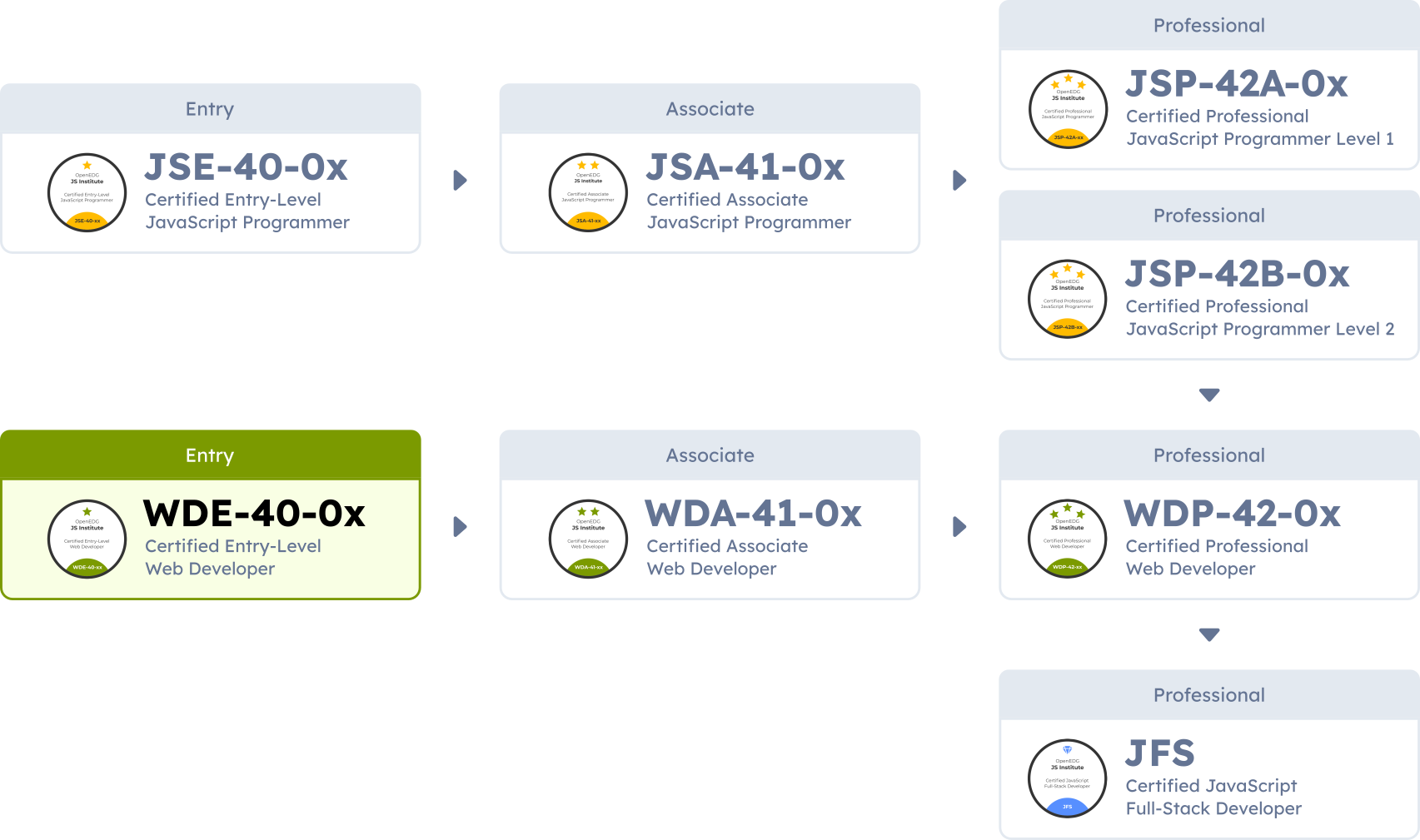
| Associated Certifications | Associate: WDA™ – Certified Associate Web Developer |
| Free Learning Resources |
OpenEDG – HTML Essentials Cisco Networking Academy – We recommend starting with HTML Essentials to build a solid HTML foundation, followed by CSS Essentials to pair those concepts with CSS styling. |
| Practice Tests | The WDE-41-01 Practice Tests are available for purchase in the OpenEDG Store. |
Exam Scope
The WDE – Certified Entry-Level Web Developer certification exam evaluates the following topic areas and assesses the following skills:
Objectives covered by the block:
- Describe the basic structure of an HTML document, including the <!DOCTYPE> declaration.
- Understand the distinction between block-level and inline elements.
- Identify and correctly use basic HTML entities.
- Explain the importance of character encoding.
- Utilize comments to document HTML code.
- Demonstrate the use of basic tags (html, head, title, body).
Objectives covered by the block:
- Implement text formatting tags such as strong, em, u, del, sup, sub, and mark.
- Demonstrate the use of headings (h1–h6) and their importance in structuring content and enhancing accessibility.
- Structure content with paragraphs (p) and manage text flow.
- Apply line breaks (br) and horizontal rules (hr) for content separation.
- Use the blockquote, q, cite, and abbr tags appropriately.
- Employ code, pre, kbd, and samp tags to display preformatted text and format code snippets and user input.
- Create and manipulate ordered (ol), unordered (ul), and definition lists (dl), including nesting.
- Create and manipulate tables (table, tr, td), focusing on headers (th), cell merging (colspan, rowspan), captions (caption), and table attributes.
Objectives covered by the block:
- Embed images with the img tag, focusing on alt text and basic responsive attributes (srcset, sizes, width, height).
- Create hyperlinks using the a tag, covering internal and anchor links, external links, email and telephone links, and link-specific attributes (href, target, download, rel, title).
- Embed multimedia content using audio and video elements (src, controls, autoplay, loop, preload), including cross-browser sources (source) and responsiveness (poster, media).
- Design interactive image maps with map and area tags.
- Utilize figure and figcaption for associating media with captions.
- Embed external web content with iframe, including making iframes responsive.
- Integrate multimedia elements as clickable links.
- Integrate favicons for brand identity and user recognition.
Objectives covered by the block:
- Design forms (form, label) with a variety of input types (input type, name, id, text, email, url, number, password, checkbox, radio, submit, reset, textarea) and understand their use cases.
- Discuss form submission methods (GET vs. POST) and their appropriate use cases.
- Implement field grouping with fieldset and legend; use form-specific attributes (value, placeholder, disabled, readonly) to customize behavior.
- Use validation techniques and attributes (required, min, max, maxlength, autocomplete, pattern, step).
- Create dropdown menus with select and option (and optgroup when needed).
- Apply CSS for styling HTML elements, including inline styles (style attribute) and internal stylesheets (style element).
- Explore the use of CSS classes (class) and IDs (id) for element styling.
- Incorporate color (color, background-color) and font properties (font-weight, font-size, font-family, font-style) for consistent styling.
- Differentiate and apply the use of span and div for styling and layout.
- Manipulate container appearance with the box model (border, padding, margin).
Objectives covered by the block:
- Explain core principles of web accessibility and the importance of following WCAG guidelines.
- Utilize ARIA roles (role), states, and properties (aria-expanded, aria-checked, aria-hidden) to improve accessibility where native semantics are insufficient.
- Implement semantic markup and integrate HTML5 structural elements (header, nav, main, article, section, aside, footer).
- Apply microformats, microdata, and Schema.org (itemprop, itemscope) for enriched content semantics.
- Understand and apply the basics of HTML APIs (Geolocation, Web Storage) in web applications.
- Utilize SVG for scalable vector graphics and understand its basic syntax.
- Follow HTML5 development best practices focusing on code readability and performance.
- Understand and apply the basics of testing web accessibility.